 Sign In
AI Form Filler Chrome Extension for Web Forms and PDFs
Paste text or drop a passport photo, scan or PDF. FillWise reads it and fills the form in front of you, on any website or in a PDF.
Get Chrome extension
Works With the Forms
You Use Every Day
FillWise works on any website with form fields, and on PDF forms opened in your browser, including flat ones with no fillable fields. These are the most popular categories our customers automate every day.
How Does It Work
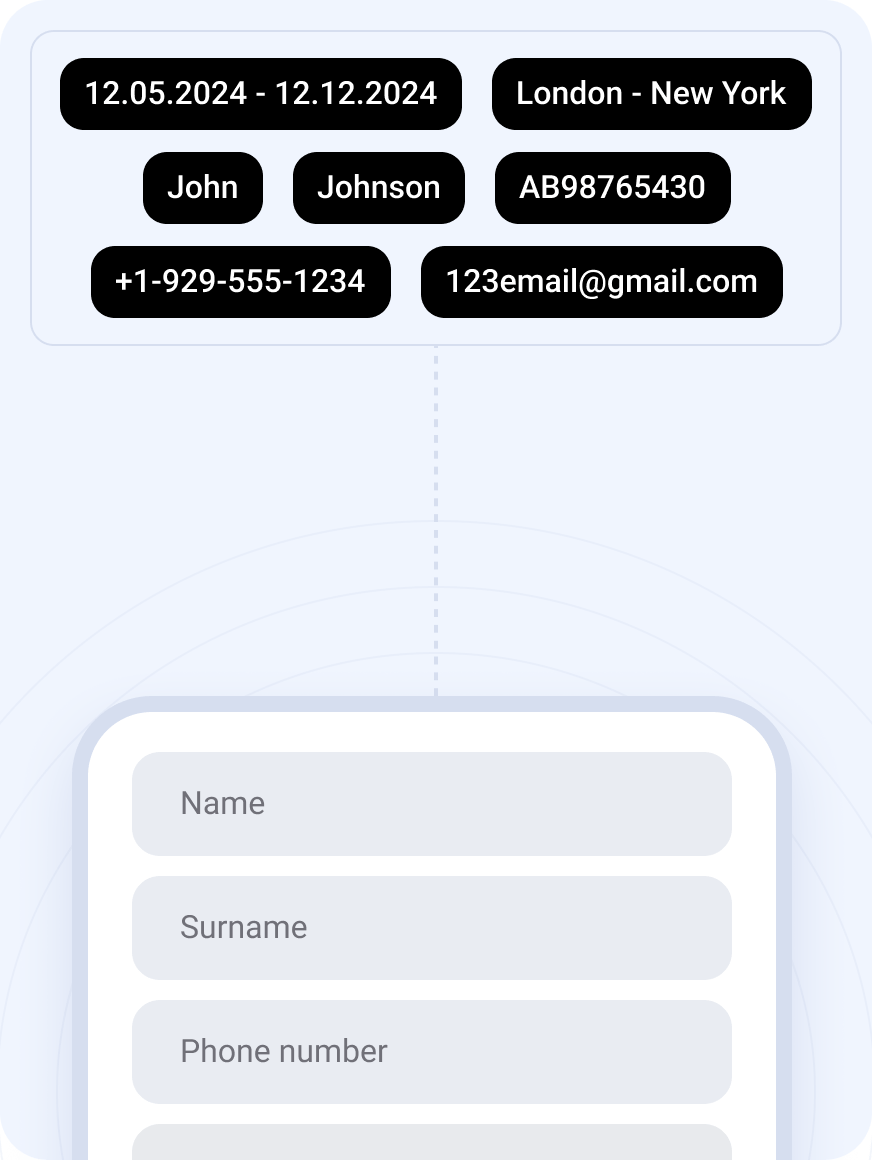
Fill a Real Form in One Click
The people and numbers in the samples are made up.
Everything FillWise Can Do
Explore the full set of capabilities — each one in detail.
AI-Powered Form Filling
Paste your data once — the AI matches it to the right fields on any website.
Learn morePhoto & Document Extraction
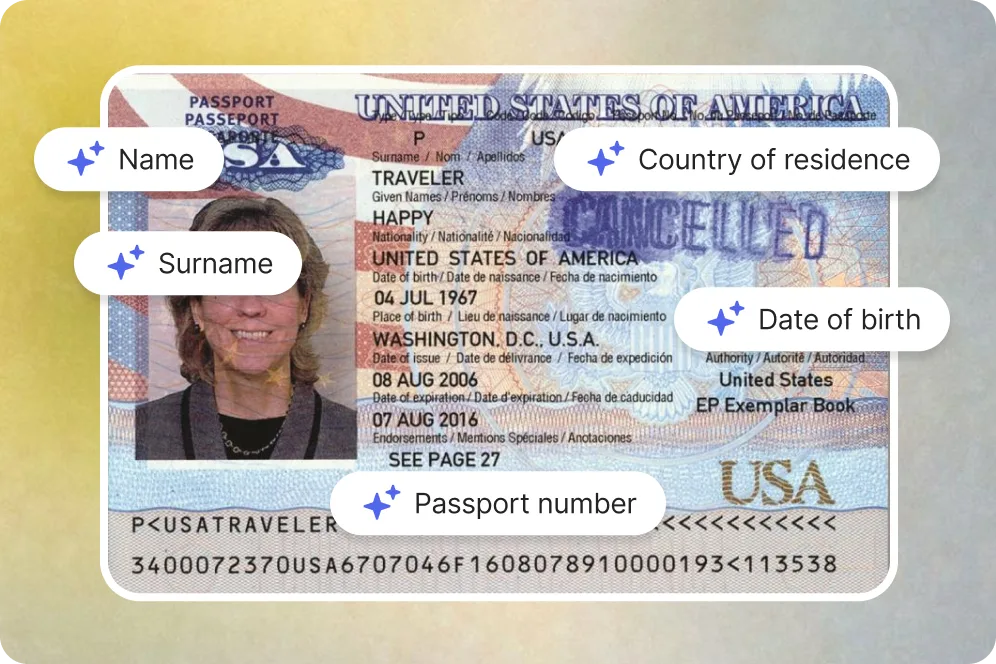
Upload a photo, screenshot or PDF — FillWise reads the data for you.
Learn moreSmart Field Detection
Labels, dropdowns, checkboxes, dates and phone masks — detected automatically.
Learn moreMultilingual Filling
Forms in 100+ languages — input in one language, fill in another.
Learn morePDF Form Filling
Open a PDF form in your browser and download it filled in seconds.
Learn moreReusable Templates
Save the data you use most and reapply it to any form in one click.
Learn moreTest Data Generation
Fill any form with realistic sample data — perfect for QA and demos.
Learn morePrivacy & Security
Encrypted processing, nothing stored — your data stays yours.
Learn moreFill Forms in Any Language
Our AI understands and fills forms in 100+ languages
Global Compatibility
Seamlessly work across websites in any language
Intelligent Translation
Auto-translate your input to match the form’s language
Diverse Script Support
From Latin to Cyrillic, from Arabic to Chinese — we’ve got you covered
Automated Data Entry
Stop retyping the same details across every form. FillWise maps your data directly into the right fields instantly.
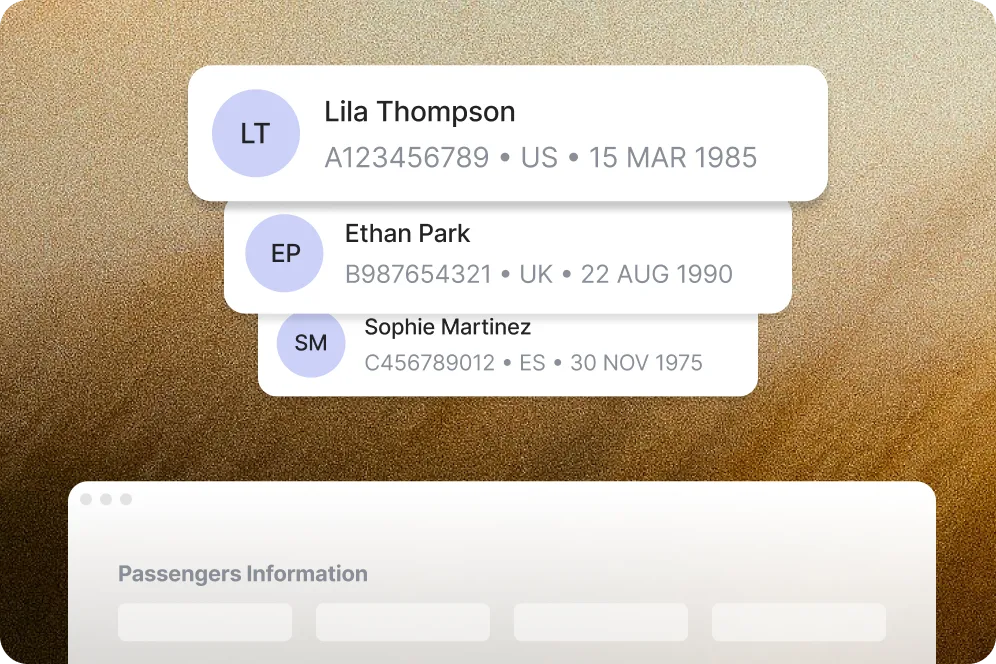
Multi-Record Handling
Paste data for several people in one go — FillWise recognises each record and drops the details into the right fields automatically.
Secure & Private
Your data is sent securely for processing and never stored on our servers.

No setup. No training. No IT guy.
Just install the extension, paste your info, and FillWise handles the rest.
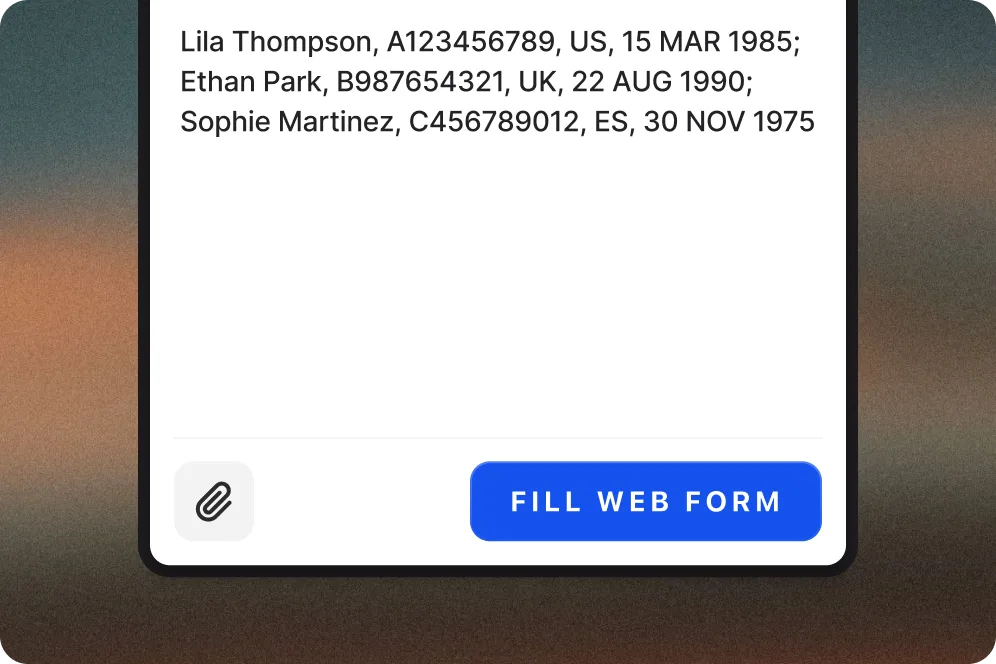
Fill a Form for Your Whole List
Bulk fill in your FillWise account: one form for every record in a sheet, or every form for one client. No extension needed.
Drop a CSV or Excel sheet, or paste several records separated by ---. Every row becomes its own filled copy of the form, named after the person in it.
Open Bulk fillAdd up to 10 PDFs and one set of notes, and the whole packet is filled at once. Details that are the same for everyone, like your firm or agency, go in once.
Open Bulk fillThe first record is filled alone so you can open it and fix anything. Then the rest run, and you download one zip with a folder per record and a report.
Open Bulk fill
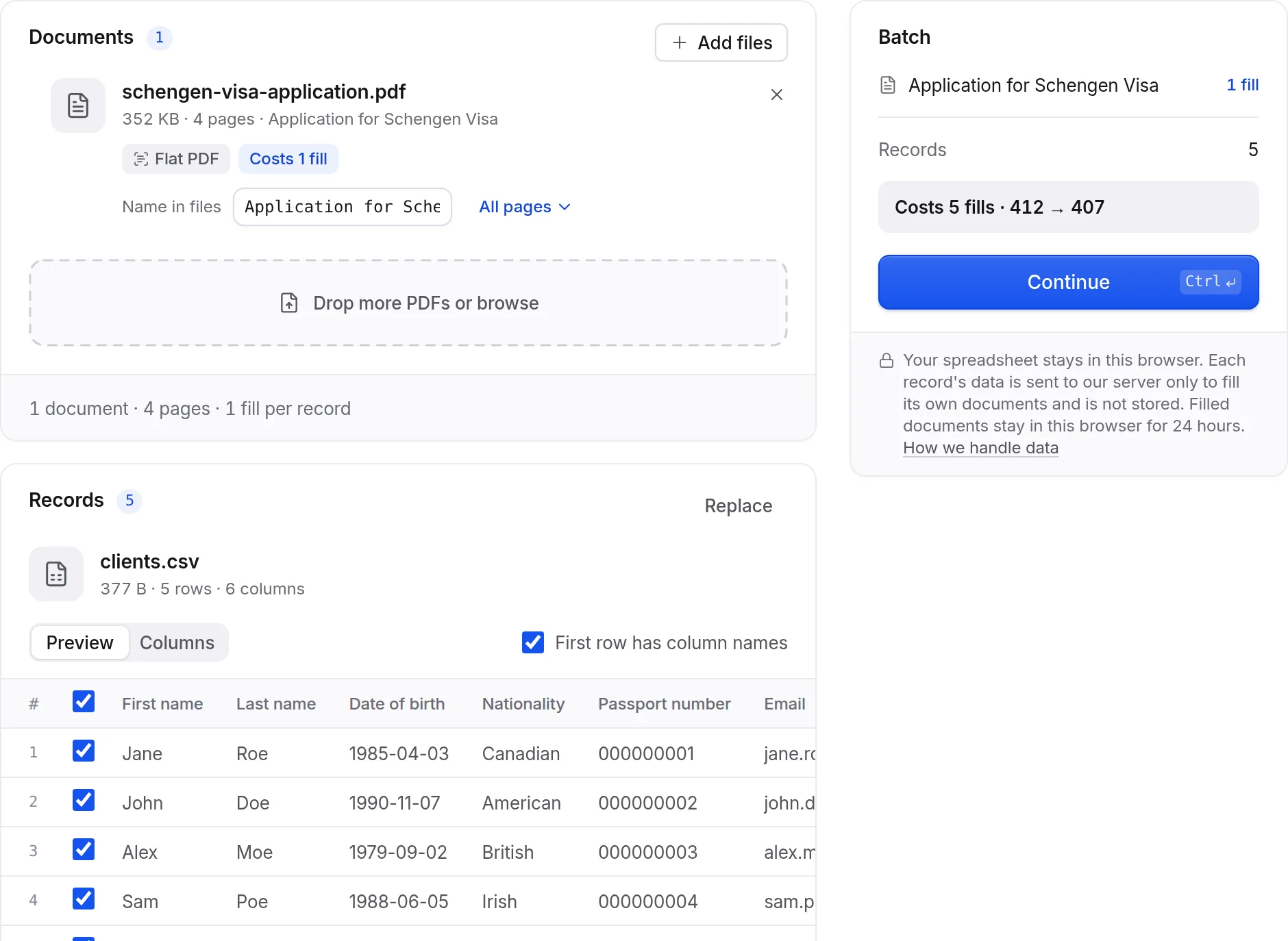
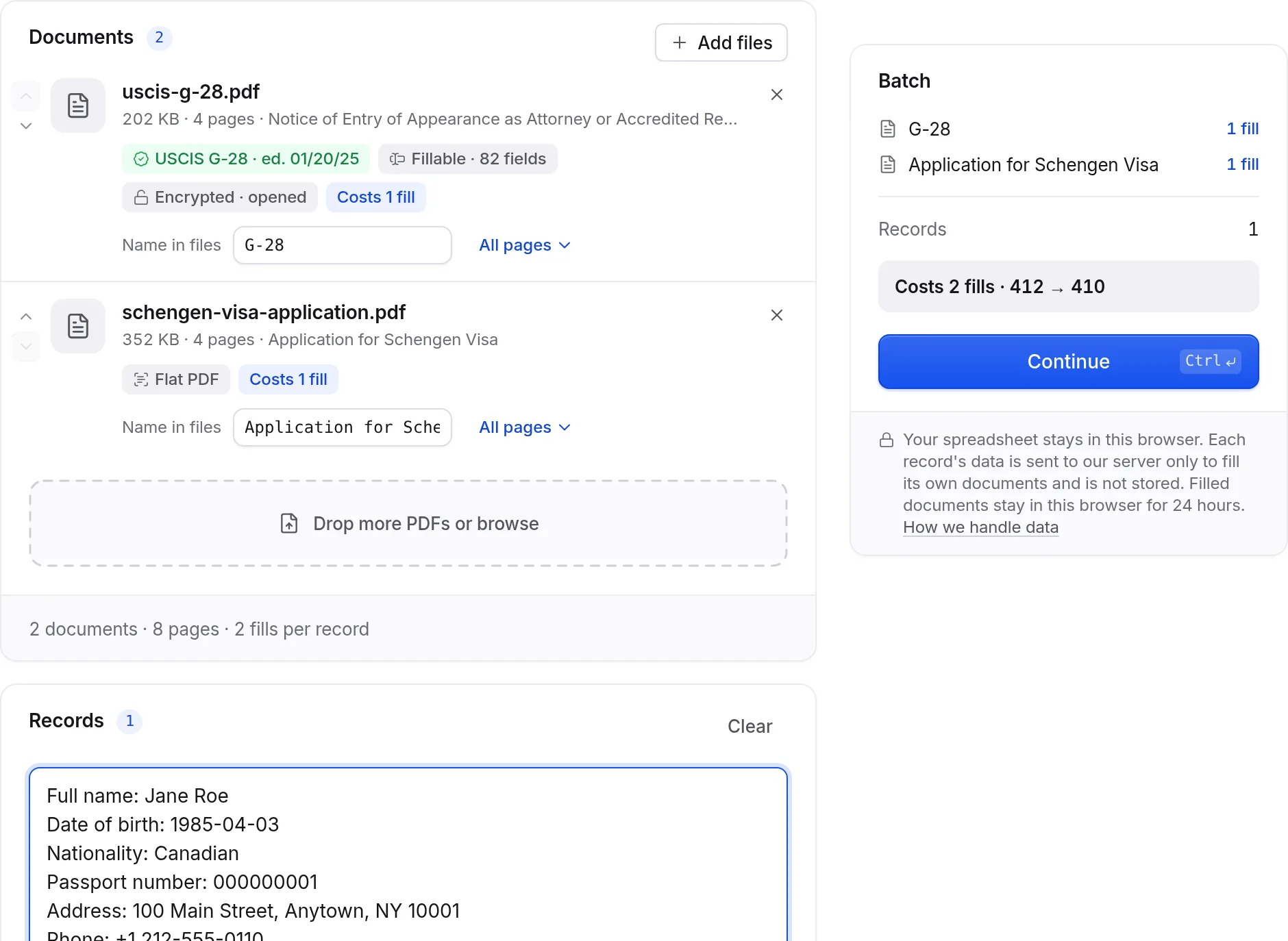
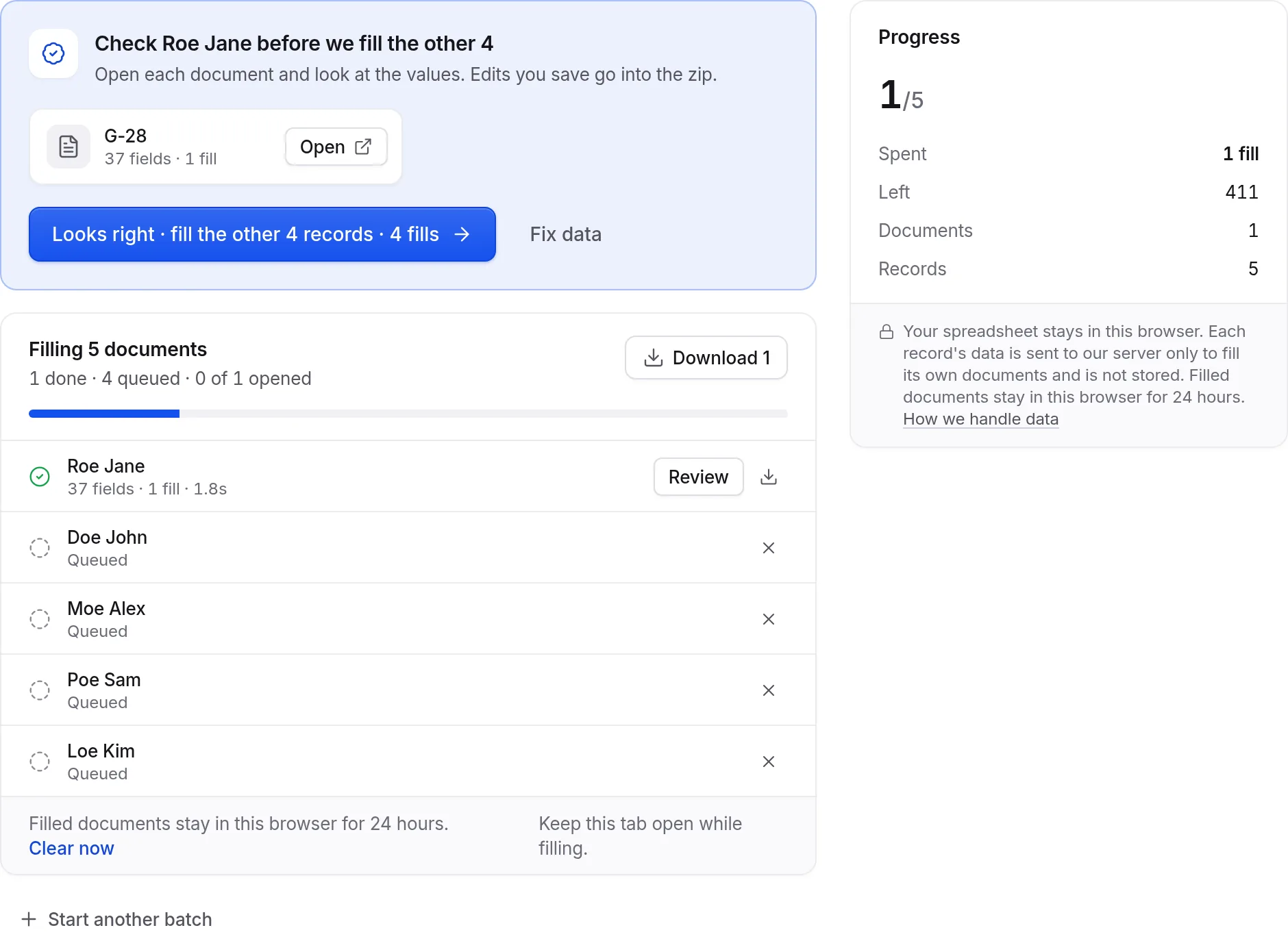
How it works, step by step: the bulk fill guide.
Filled and Forgotten
What we send
The text or file you add for the current fill, plus the form itself: field labels, types and options. That is all. We do not touch your browsing history, your cookies or anything else on the page. Every request goes over encrypted HTTPS.
What we keep
Nothing from your fills. The data is used once to fill the form and is not saved on our servers. Your account holds only your Google name and email, your plan, and the templates you choose to save. Any template can be deleted at any moment.
What never leaves
PDF forms are opened and filled right in your browser, and the finished file goes straight to your downloads. You sign in with Google, so there is no password for us to store. Payments go through Stripe, so we never see your card.
“My productivity increased by 2x times.”
Built for Busy Professionals

For Recruiters & HR
Copy candidate resumes or LinkedIn profiles and instantly fill job application forms. Process 10x more candidates in the same time.
- Copy from LinkedIn → job board forms
- Resume data → ATS systems
- Bulk employee onboarding forms
- Background check applications

For Travel Agents
Snap a photo of client's passport and fill visa/booking forms instantly. Handle family bookings with ease - all passengers in one go.
- Passport photos → visa applications
- Family data → flight bookings
- Group tours → hotel reservations
- Insurance forms from ID documents

For Event Organizers
Register entire teams at conferences or workshops. Paste participant lists and fill registration forms for multiple people simultaneously.

For Insurance Agents
Take photos of client documents and complete policy applications without manual typing. Perfect for field work and client meetings.
- Driver's license → auto insurance
- Medical records → health policies
- Property docs → home insurance
- Business cards → commercial policies

For Sales Teams
Copy lead information from your CRM and instantly fill prospect forms across multiple platforms. Never lose a hot lead to slow data entry.
- CRM data → lead qualification forms
- LinkedIn prospects → outreach platforms
- Event contacts → follow-up systems
- Proposal submissions in seconds

Ready in 30 Seconds
Unlike complex automation tools that need weeks of setup and developers, FillWise works instantly. Install and start saving time today.
Sign up for free today
track your progress and motivate your efforts.
Monthly Plans
- Known forms: 20 free fills a week
- Web forms on any website
- PDF forms, fillable and flat
- Data from text, photos, scans and PDFs
- Saved templates for repeat clients
- API access
- Known forms: unlimited free fills
- Web forms on any website
- PDF forms, fillable and flat
- Data from text, photos, scans and PDFs
- Saved templates for repeat clients
- API access
- Known forms: unlimited free fills
- Web forms on any website
- PDF forms, fillable and flat
- Data from text, photos, scans and PDFs
- Saved templates for repeat clients
- API access
- Known forms: unlimited free fills
- Web forms on any website
- PDF forms, fillable and flat
- Data from text, photos, scans and PDFs
- Saved templates for repeat clients
- API access
- Priority support
- More volume on request
Frequently Asked Questions
FillWise's AI form filler revolutionizes form completion with cutting-edge technology that instantly recognizes and completes form fields. Our Chrome extension leverages artificial intelligence to transform how you interact with web forms across any website.
The AI for filling forms technology works seamlessly with all types of online forms – from simple registration pages to complex financial applications. Simply install our extension, and watch as it automatically identifies and completes fields, saving you time and minimizing errors.
Using AI to fill out forms with FillWise is simple: install the extension, activate it when opening any form, and watch as AI instantly completes all fields. The AI that fills out forms technology is especially useful for professionals who work with various online documents daily.
Our intelligent Chrome extension with AI for form filling capabilities analyzes the structure of any web form and automatically populates all fields with the required information. No more typos, forgotten fields, or input errors – FillWise ensures flawless completion the first time.
It depends on how much of your day goes into repetitive data entry. The work FillWise removes is the transcription part: copying the same names, dates and numbers from a CRM record, an email or a document into yet another form. A long application that takes several minutes to type is filled in one click, and the saving multiplies with every form that asks for the same details again.
Form filling AI from FillWise reduces time spent on administrative tasks, helping you reclaim it for more productive work. Our AI form fill tool is particularly valuable for professionals who deal with numerous online documents daily. The free plan is the honest way to measure it: run your own forms through it and see what it saves you.
Every account starts with 20 fills and gets 5 more every week, with no card. A fill is spent when AI has to read a form for the first time, or when it has to pull the values out of your text.
Forms FillWise already knows are free. Once a form has been filled, its structure is remembered, so filling it again costs nothing as long as the data you paste is recognised. It does not have to be the same data: a new client, a new passenger or a new application on a form we know is still free. On paid plans there is no limit on those fills, on the free plan there are 20 of them a week.
AI to fill forms by FillWise works with personal questionnaires, business applications, banking forms, job applications, travel bookings, insurance forms, and much more. Our extension is designed to work across any website with form fields.
Yes, both kinds. Open the PDF in a Chrome tab and FillWise completes it, then downloads the finished file. Fillable (AcroForm) PDFs are filled through their real form fields: text, checkboxes, radio buttons and dropdowns.
Flat PDFs, the ones where clicking a line does nothing, are filled too. FillWise reads the printed labels and blank lines out of the document itself and places each value where it belongs, so government and carrier forms that were never made interactive no longer have to be typed by hand in an editor.
FillWise works with plain text, images and PDF documents. You can paste any text data (from spreadsheets, CRM exports, emails, etc.) or attach photos, scans and PDFs of documents as the source.
Yes! FillWise supports 100+ languages and can understand input in any language. You can input your data in Arabic, Chinese, Hindi, Korean, etc., and our AI will correctly match the information to form fields regardless of the form's language.
FillWise reaches 95%+ accuracy in matching data to the correct form fields. The AI understands context - it knows emails go in email fields, phone numbers in phone fields, dates in date fields, etc. Review the result before submitting, the same as you would with any autofill.